A linked digital planner for PDF annotation apps

The 2027 edition, where any day is two taps away.

One planner for work and home for all of 2027. From any page, one tap takes you to any month, your projects or your notes, and any day is two taps away. Works in PDF annotation apps on your tablet, with an undated version you can print.

Tested in Google Chrome's built-in PDF viewer and PDF.js (the viewer built into Firefox), November 2026. Your app needs to follow links inside a PDF.

$27 · one-time payment

Writing things down takes a moment. Getting back to them is where a planner earns its place: the note from Thursday's call, the project page you started in March, the list for the house. When the call starts in two minutes, the way back shouldn't be a long scroll through the weeks.

Weeksprig is built around the trip back.

Two-Tap Navigation

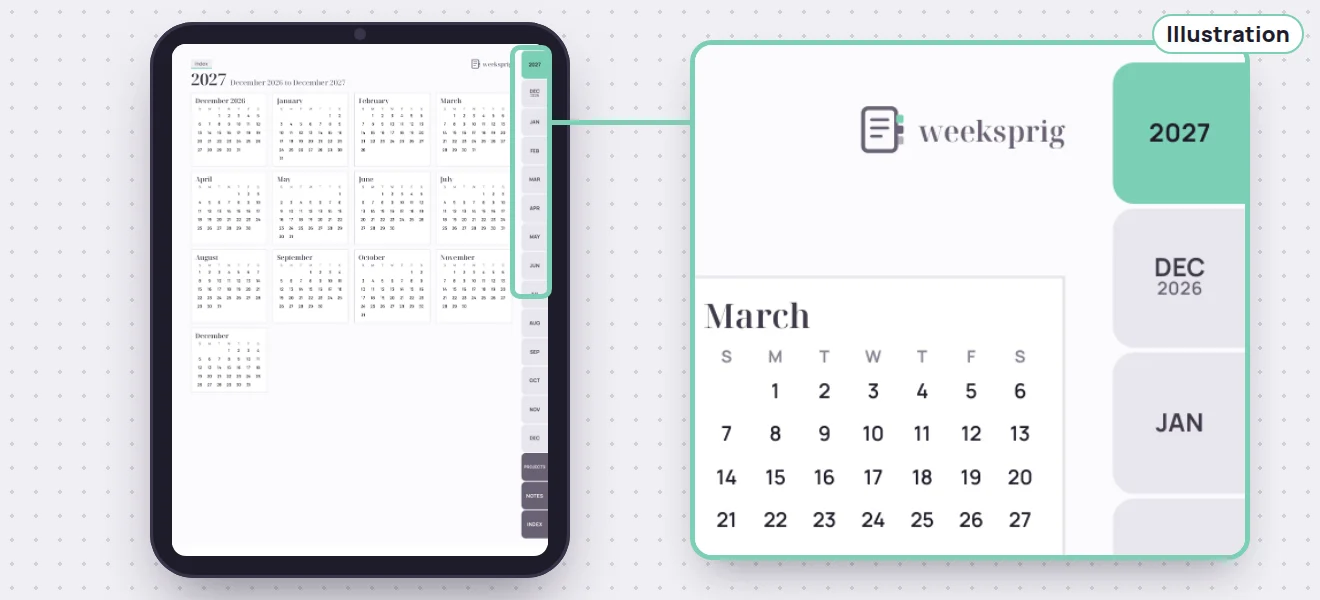
Every page in the planner carries the same tab bar. It holds the year, all 13 months from December 2026 to December 2027, your projects, your notes and an index.

Tap a month, and you're on that month. Tap Projects or Notes, and you're on its index, where each project or note is one more tap. On every month page and every week page, each day is a link, so the day you want is one more tap.

That's the whole route, from wherever you are: one tap to any month, your projects or your notes, and two taps to any day.
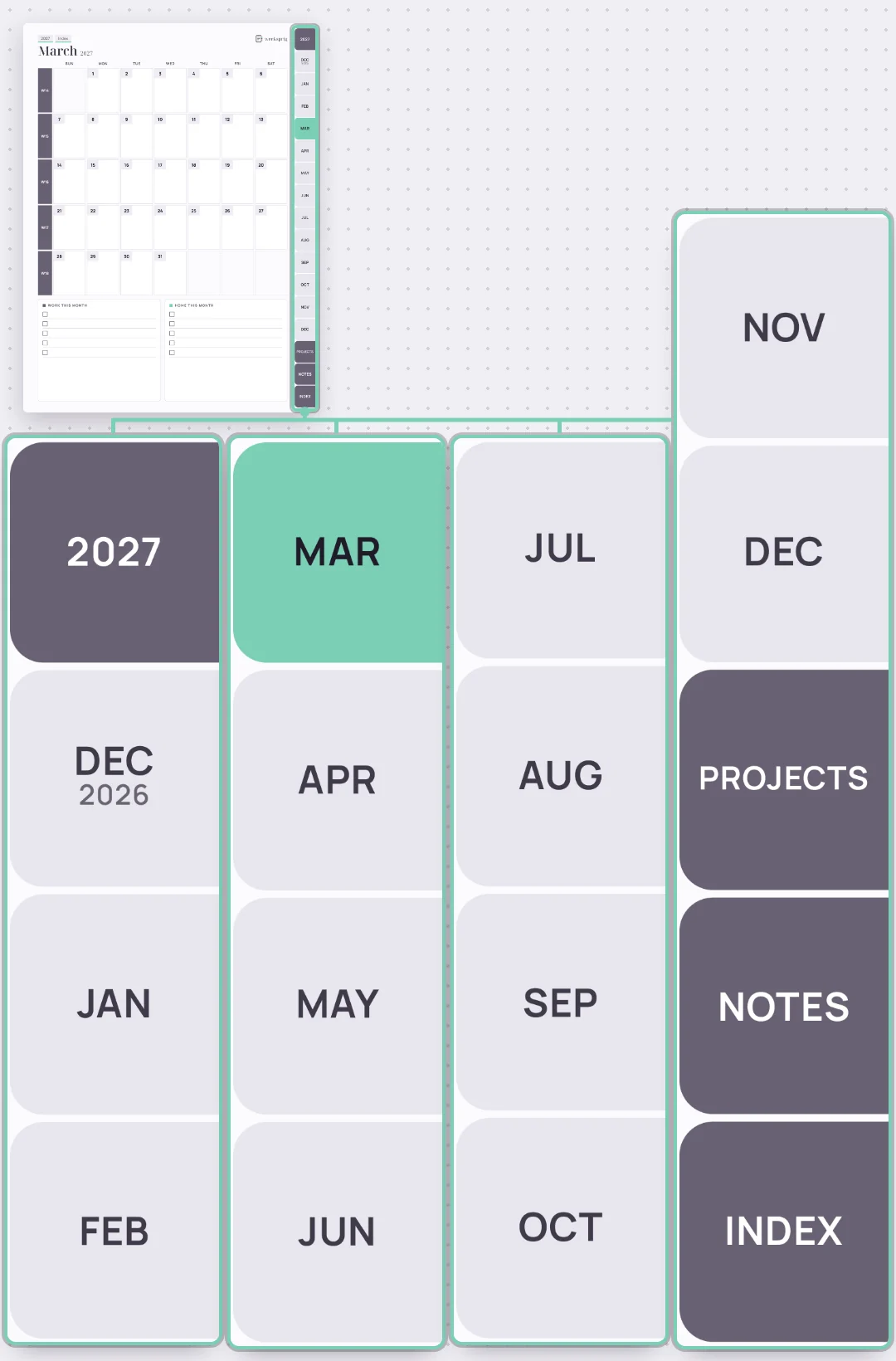
A planner page showing the tab bar: the year, 13 months, Projects, Notes and Index

Three checks for any linked planner

Linked planners can look alike in a preview, so check three things before you buy one. Is the same tab bar on every page, so the way back starts the same from anywhere? Is each day a link on both the month and the week pages? And does the seller name the apps the links were tested in? This page answers all three: the tab bar and the day links are in the section above and in the clip, and the apps are named at the top.

Work and Home, side by side

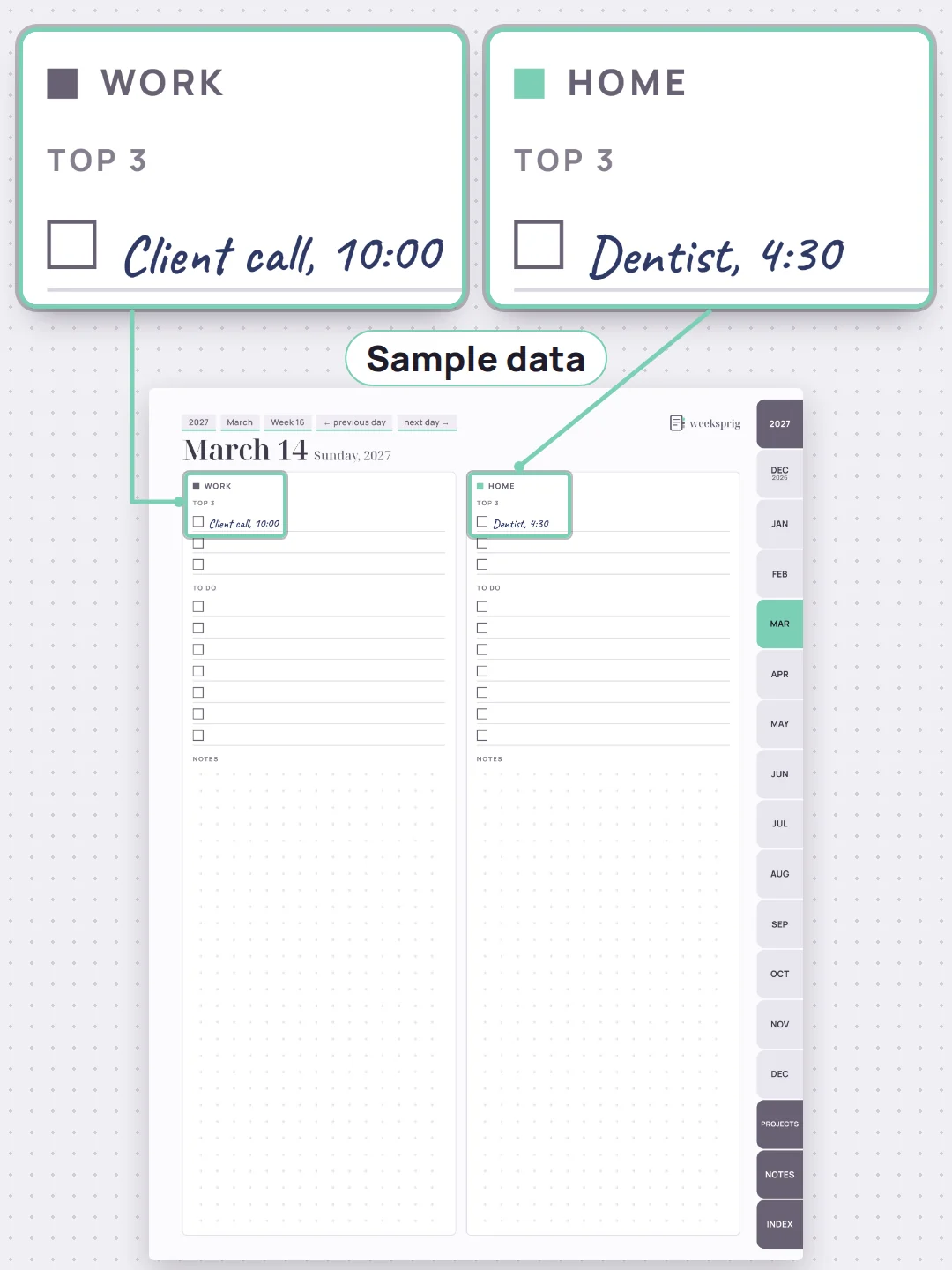
Each day page and each week page is split into Work | Home. The client call and the dentist appointment sit on the same page, each on its own side.

Projects get a Work or Home tag, and each one has its own page, linked from the project index. Notes work the same way: a notes index, and a page for each note.

A day page split into Work and Home

Every tab, listed

Bookmarked: 30 Days

Import it and tap around for a week or three. If it's not for you, email us within 30 days.

30-day money-back guarantee on every purchase: email support@weeksprig.store within 30 days of that purchase and you get a full refund for it. No forms. No questions. We issue your refund within 2 business days of your request. How long it takes to show up on your statement depends on your card issuer.

The Weeksprig 2027 Planner

The Weeksprig 2027 Planner open on a tablet, with the tab bar on the page

The Weeksprig 2027 Planner

$27 USD, one-time payment. No subscription, no renewal.

  • The 2027 dated planner, in Sunday-start and Monday-start editions
  • Projects and notes, linked from every page
  • The undated edition
  • The print version, for US Letter
  • The setup guide, with a sample week

Pay once, and the whole year is yours. The dated pages start in December 2026, so you can set it up and settle in before January.

$27 · one-time payment

Download it, import it, and every month is one tap away.

Your access link arrives by email right after payment. Downloads are yours to keep.

Questions

Which apps does it work in?

We tested it in Google Chrome's built-in PDF viewer and PDF.js (the viewer built into Firefox), November 2026. It needs a PDF annotation app that follows links inside a PDF. Other apps may work too, but we've only checked the ones listed. In an app that doesn't follow links, every page is still there; the tabs just won't take you anywhere.

Sunday or Monday?

Both. You get both editions, so you can use the one that matches how you count your week.

Is this a calendar app?

No. It's a planner you write in by hand. It doesn't send reminders or sync with anything.

Can I print it?

Yes. The print version has undated week, day, project and note pages, sized for US Letter. The dated planner is made for your tablet.

What happens after December 2027?

The undated edition has no dates, so you can keep using it.

Will it fix my planning habits?

That part is yours. What the planner does is shorten the trip to the right page: one tap to any month, your projects or your notes, and two taps to any day.
How do I reach you?

Questions? Email support@weeksprig.store. We reply within 2 business days.